
Daily Shopfloor Management Dashboard: define, monitor and improve your daily KPIs
Define target indicators with a single click; track performance against targets and sustain continuous improvement.
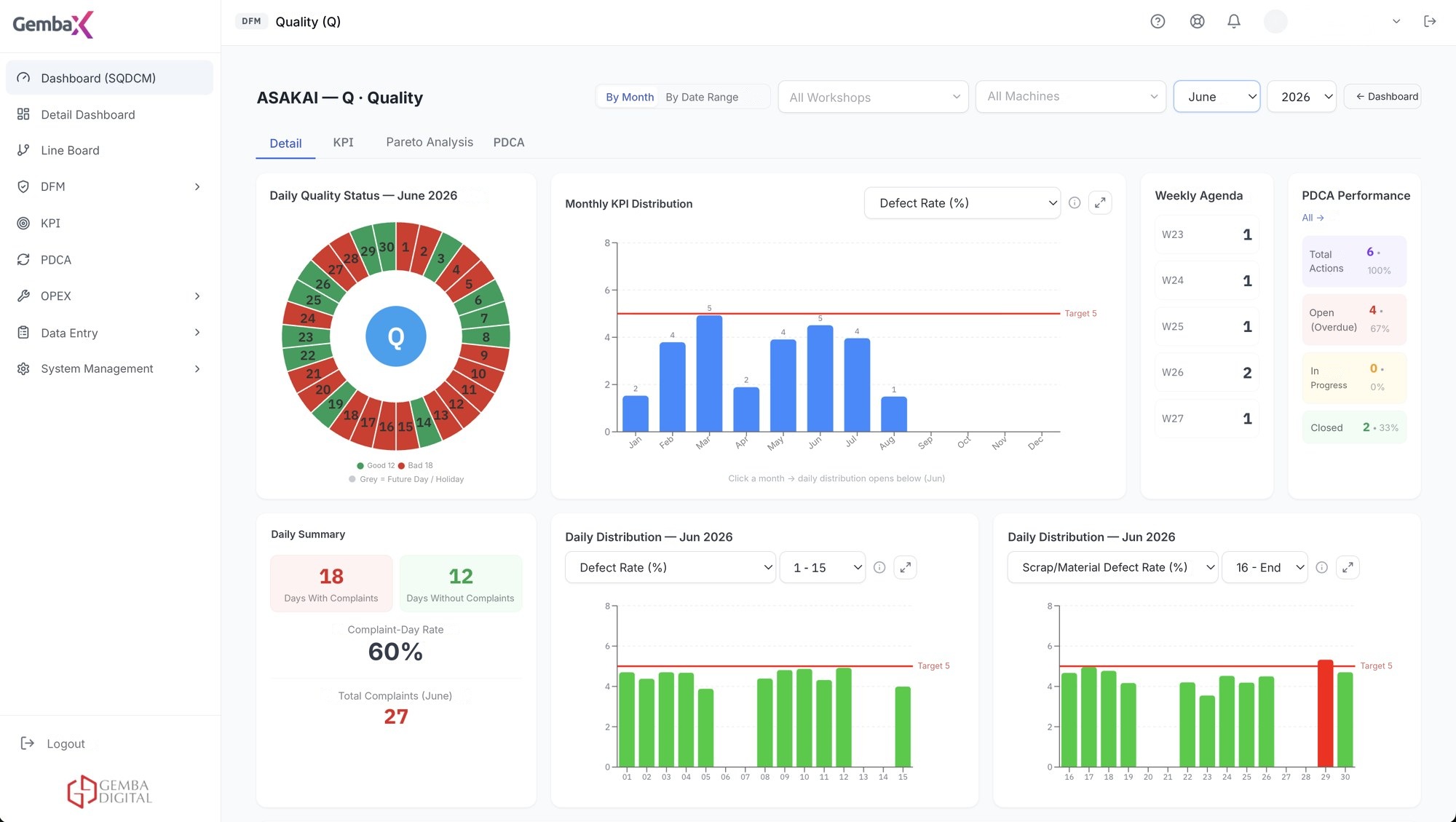
Performance indicators are managed daily from one place
Operational metrics such as Production, Quality, Cost and Safety are updated automatically and compared with targets.
KPI management lets the team interpret data in the meeting instead of searching for it. Indicators are defined once, updated in the same layout every day and read side by side with the target.
Talk to an Expert →Centralized KPI management
Performance indicators are defined and managed from one place.
Automatic data updates
Operational metrics such as production, quality, efficiency and maintenance are updated automatically.
Comparison with targets
Data is compared with targets and shown on dashboards; deviations are noticed quickly.
Periodic revision
Indicators can be revised according to quarterly or annual targets.
Structure tailored to your business
Fully customizable indicators are created to match processes and strategic goals.
Real-time visibility
Operational data is updated automatically and presented on dashboards together with targets.
The daily management cycle in Gemba OpXSuite
Six steps work as one flow: collect data, review plant performance, monitor KPIs, manage daily performance, prioritize deviations and verify the impact of corrective actions.
Data collection
Data flow is established from SQL, Oracle, ERP, SCADA, MES and Excel sources.
Overall factory performance
Daily summary of the factory; indicators outside target stand out.
SQCDM
Indicators are monitored in the structure of safety, quality, cost, delivery and morale.
Daily KPI / performance
Targets are defined, daily data is managed from one place.
Pareto – deviation management
Deviations are ranked by impact and priorities are set.
PDCA
An owner and due date are assigned; the impact is verified in the indicators.
Keep targets relevant and decisions evidence-based
By revising targets regularly, the rhythm of improvement is maintained.
- Regular target revision keeps improvement goals relevant.
- Make timely decisions using clear visualizations and trend analysis.
- Get a holistic management view that compares actual data with targets.
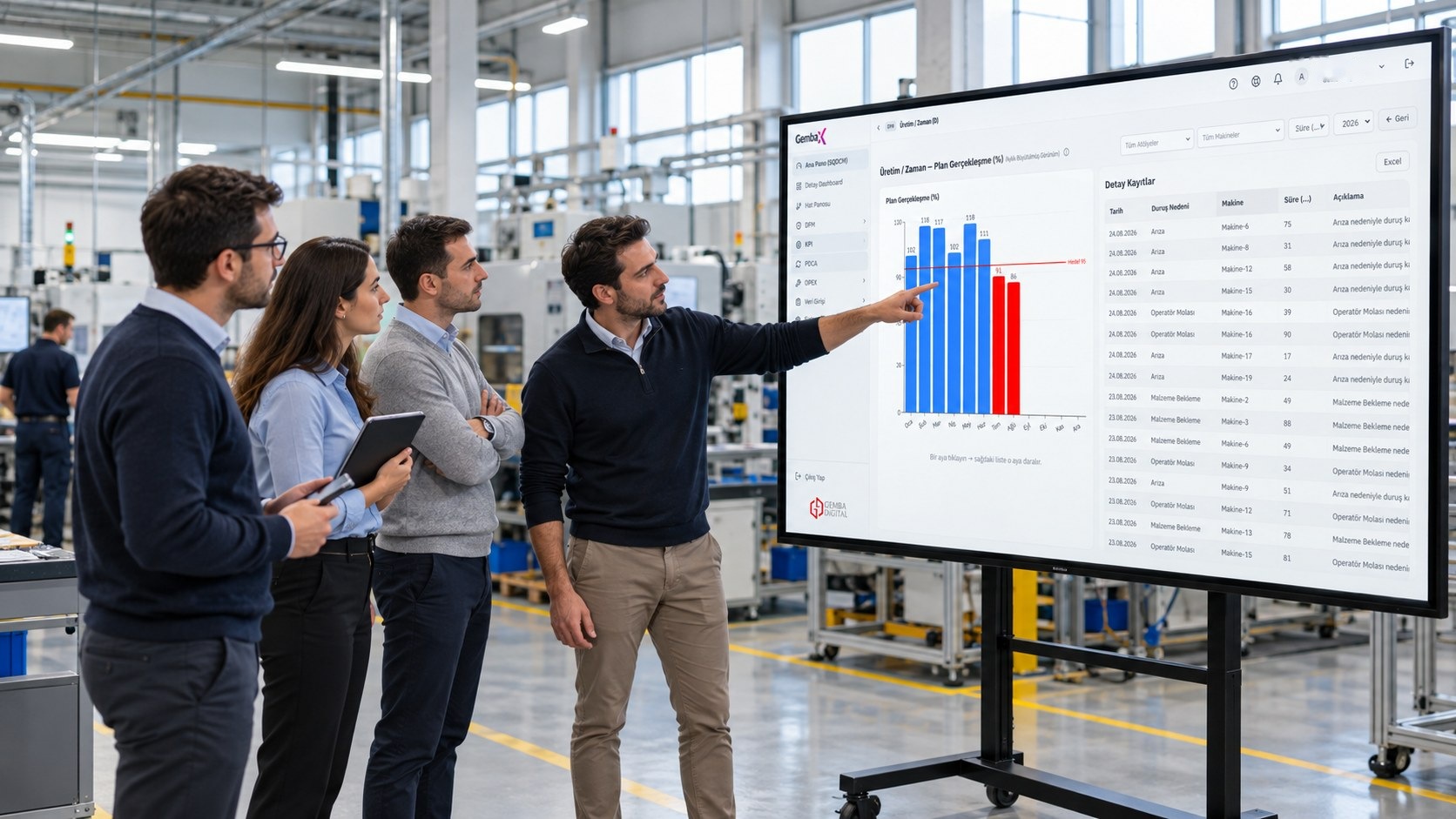
How is it used on the shopfloor?
Indicators are ready in one place; targets and previous period values are visible.
Production, quality, efficiency and maintenance data is entered or flows in from source systems.
Actual values are compared with targets; deviations are discussed on the same screen.
Targets are revised regularly; trend analyses guide the next period.
One shared view, with the right level of detail for every role
- Shopfloor leader. Enters the indicators of their own line and sees the gap to target immediately.
- Department manager. Defines and monitors the department's performance from one place.
- Process improvement. Builds the indicator and target structure and manages revisions.
- Quality and maintenance. Tracks their own metrics in the same structure with the same target logic.
Works with your existing systems
OpXSuite connects to your existing databases and source systems without creating an additional data-entry burden.
Frequently asked questions
Why is the KPI management dashboard important?
By tracking strategic indicators in real time, it lets you see deviations early and move toward operational excellence faster.
Can KPIs be customized?
Yes. They can be defined according to industry, processes, product type and priorities.
How often can targets be updated?
They can be revised quarterly, annually or at intervals suited to the business's pace of development.
How does it contribute to decision-making?
By comparing actual data with targets, it gives managers an instant and holistic view.
Is data entered manually?
Both ways can be used: indicators can be entered from the panel or fed from SQL, Oracle, ERP, SCADA, MES or Excel sources.
Can indicators be broken down by department?
Yes. They can be defined by factory, department, line or product; each level sees its own targets.

Build your daily KPI-management workflow
Talk to our team about the modules and integration approach that best fit your operation.